Note: Please browse Glossary for reference on terms used in this document, especially in this section.
The software can be logged in by following user types:
- Primary Users: All primary users are employees/members of the primary client i.e. the person or business entity who have purchased this software.
- Secondary Users: All secondary users are employees/members of secondary client i.e. the person or business entity who buys fuel cards from the primary client.
As soon as primary client is signed up, it receives an email containing every detail required to login to website. This application can be published on the domain owned by primary client. So, first users may already have link to open it. Login is as simple as abc. Enter email, password and click on Login button. Following screenshot illustrates login screen:
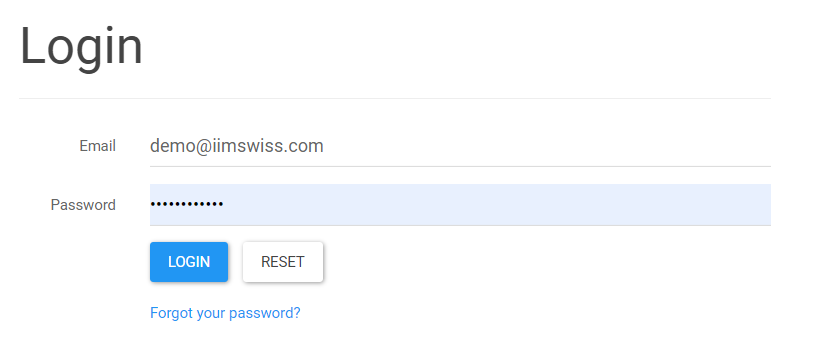
If you forget password then "Forgot your password?" link can be used to reset it. If two factor authentication is on then it will send a 6 digit verification code on your registered phone number and will prompt for second level of authentication as shown in below screen shot:
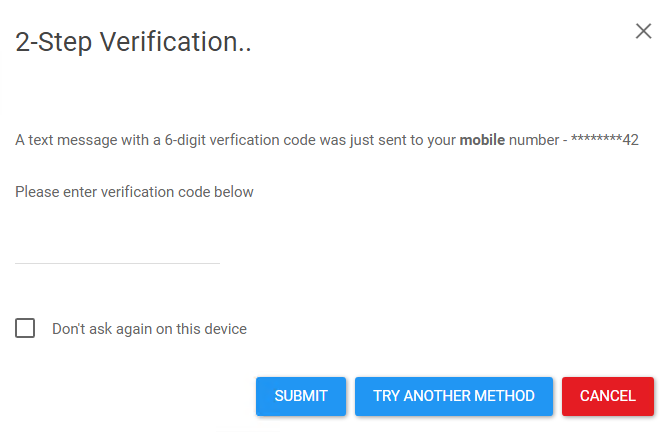
Enter verification code in the designated box and click on Submit. If you open application frequently from current device, then check "Don't ask again on this device" box. Finally, if you do not receive text message or you are not close to your phone then click on "Try Another Method" button. It will send verification code on your registered email.